Your prayer is a fixed slot
in your day.
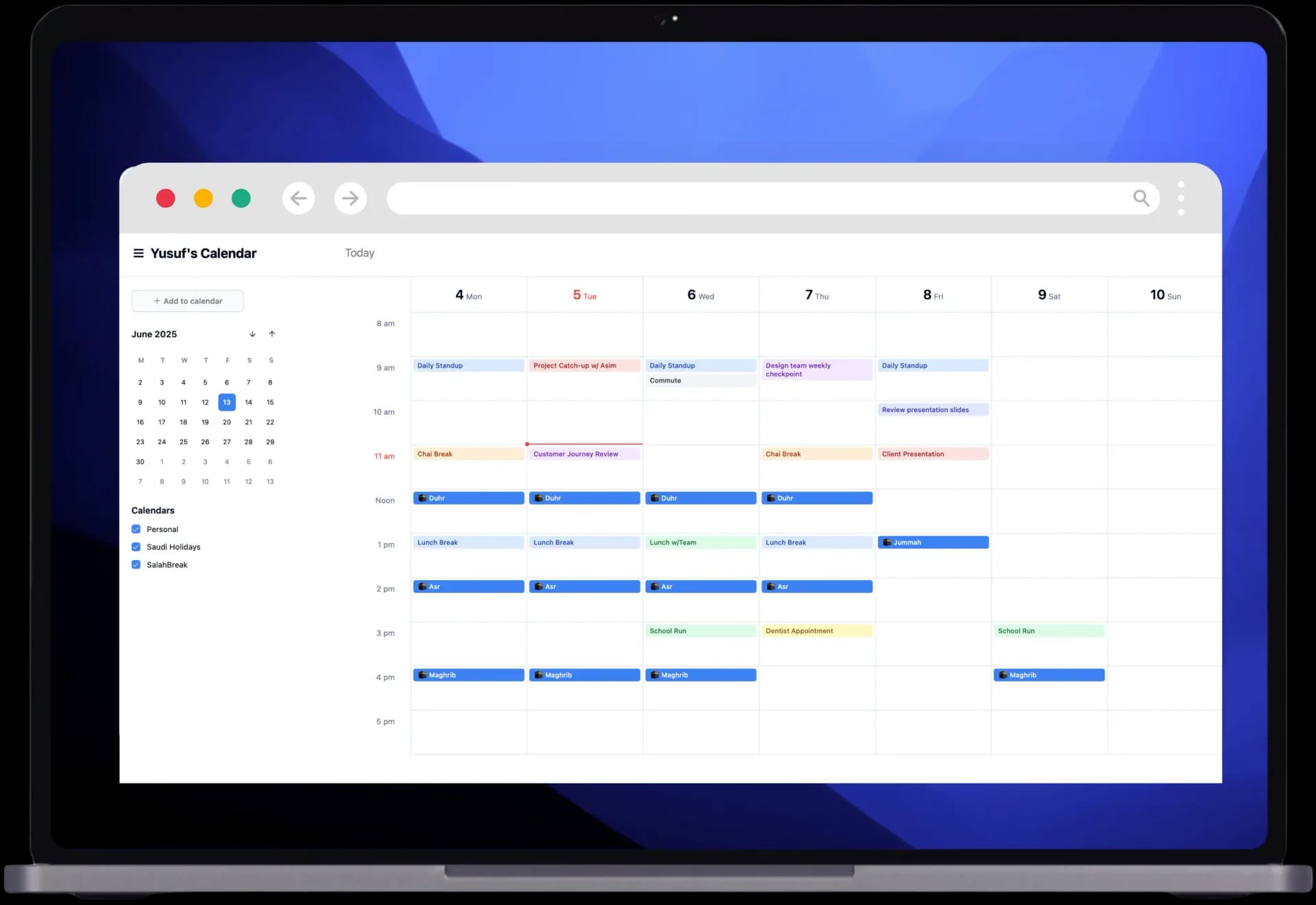
Connect your calendar and SalahBreak automatically reserves prayer times as breaks, so no meeting overlaps them and you never miss a prayer while you're busy.

Works with your favorite calendar, wherever you run your day
Three steps, then forget it
One minute to set up. Your prayers get booked and updated automatically, every day.
- 1
Connect your calendar
Sign in with Google and connect your calendar in one click. We only request permission to add events.
- 2
Customize your break
Pick your city and madhab, set each prayer break duration (20–30 min) and the days that suit you.
- 3
Forget it
Your prayers are booked automatically as “busy” breaks and updated daily, safe for daylight saving and location changes.
Meet SalahBreak
Everything you need to keep your prayers on time, without disrupting your day.
Smart scheduling
Books your prayers within 15 minutes of the adhan and reserves time to pray without interruption.
Every calendar
Works with Google, Apple, and Outlook, and any calendar app via iCal export.
Accurate calculation
Choose your madhab and calculation method for accurate times based on your location, anywhere.
Friday prayer
An extra reminder and a special event in your calendar for Jumu'ah every week.
Around the world
Accurate prayer times in every city and town, updated automatically as your location changes.
Fully customizable
Organize your calendar your way, choose which prayers to add and which days of the week suit you.
Focus on your work,
pray with peace of mind.
Connect SalahBreak to your Slack workspace and let it handle the rest at every prayer time.
- ✓Automatically mutes Slack notifications during prayer time.
- ✓Sets your status to “🕌 Prayer time” so your team knows.
- ✓Restores your status and notifications automatically after prayer.
On all your devices
Your times with you wherever you are, from your wrist to your menu bar to your car.
- iPhone & iPad
- Apple Watch
- Mac Menu Bar
- CarPlay
- Apple TV
- Live Activities
- Android coming soon
Hadith
سُئل رسول الله ﷺ: «أيُّ الأعمال أحبُّ إلى الله؟» فقال:
«الصلاةُ على وقتها»
رواه عبدالله بن مسعود رضي الله عنه متفق عليه
The busy Muslim, finally at ease
Words from users organizing their prayers with SalahBreak.
- ★★★★★
“For the first time, I don't miss Asr in the middle of back-to-back meetings. It literally has a reserved slot in my calendar.”
AAbdullahProduct Manager - ★★★★★
“The Slack feature changed my day. Notifications mute themselves at prayer time and come back right after.”
NNouraSoftware Engineer - ★★★★★
“Setup took a minute and I forgot about it. My prayers are just there, every day, exactly on time.”
SSaadAccountant
Frequently asked questions
Does SalahBreak modify my existing events?
Is it free?
Which calendars are supported?
Is my data safe?
How do I disconnect?
Start protecting your prayer time today
One minute to set up, peace of mind all day.